Little-known iPhone battery trick that releases bonus battery life now available on millions of models
Extending your battery life as much as possible is one of the best things you can do when using your iPhone, and Apple have sneakily added a whole new feature that does this fantastically in the last week.
Without any battery life your phone is useless, and while the latest iPhones boast capacities that can easily take you beyond a day's usage, there are still times when you'll want to squeeze as much as you can out of your gadget.
Thankfully there are a number of tips you can take on and settings you can disable to give your phone that little bit more when it comes to battery, but you might also want to consider enabling a new setting that takes advantage of the AI technology already built into your device.
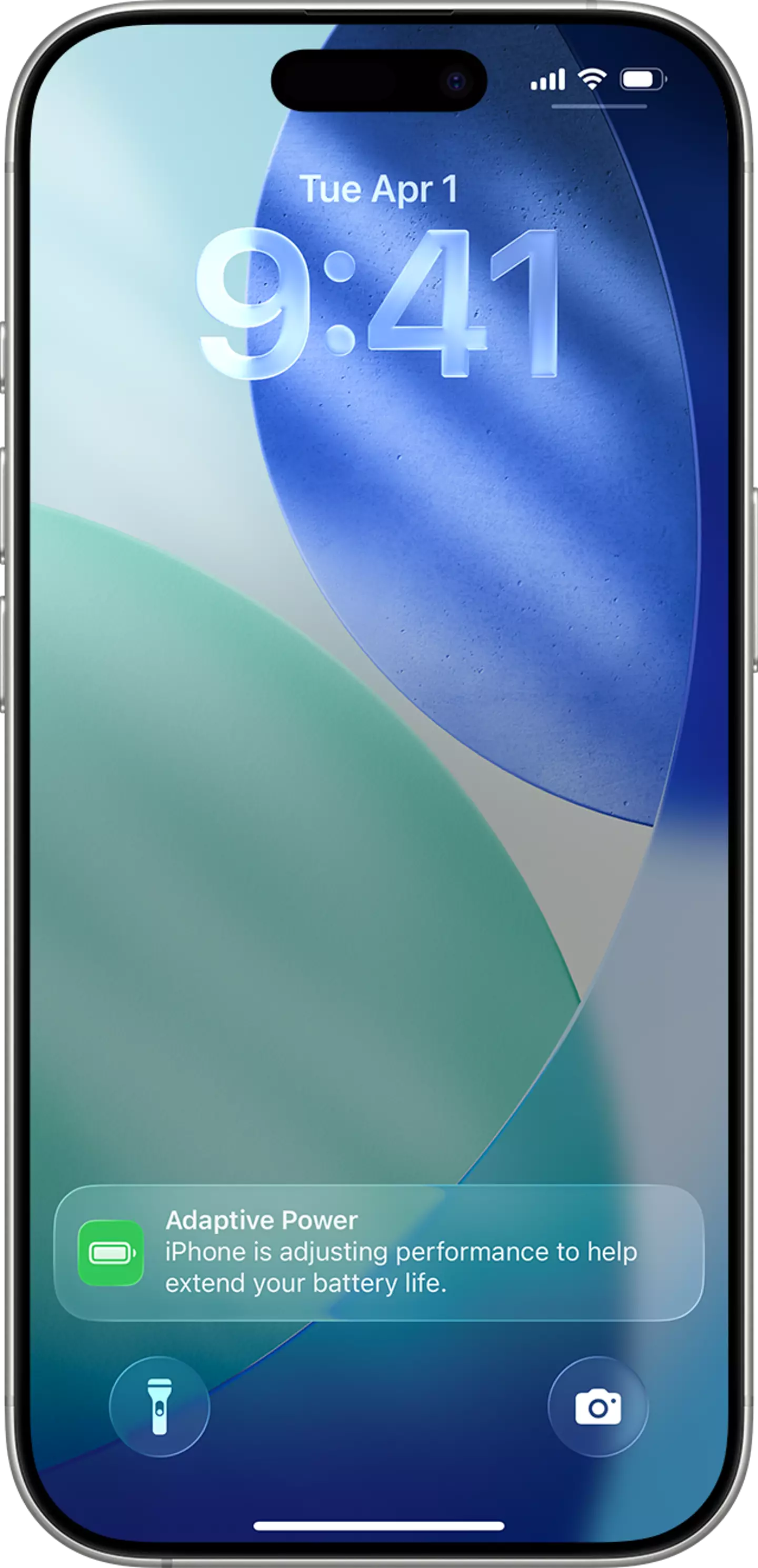
As reported by the Sun, Apple has just added a new setting called 'Adaptive Power', and this dynamically analyzes how you use your phone and when you tend to charge it in order to adapt how much power it provides.
Advert
It's something that has been available on some Android devices for a number of years, but it's the first time it has arrived on iPhones and it could end up being a lifesaver in moments where you'd otherwise be left with a dead phone.
How does Adaptive Power work?
According to Apple, Adaptive Power "helps extend your iPhone's battery life when you use it more," adding that it "uses on-device intelligence to predict when you'll need extra battery life based on recent usage patterns and then adjusts as needed to help your battery last longer that day."
Advert
It is a completely passive setting so you don't need to do anything to let it work its magic once it's enabled, but you will need to wait around a week for it to collect enough data before it starts to work.
So, if you're someone who is out of the house a lot during the week but tends to stay in during the weekend then you'll likely see your phone tone down its performance on the weekdays in order to make sure you've got enough juice to last you through the day, whereas you won't need it as much when you're near a charger.
How to turn on Adaptive Power?
It's an incredibly easy process to turn on Adaptive Power, so make sure to follow these steps to take advantage of the new feature:
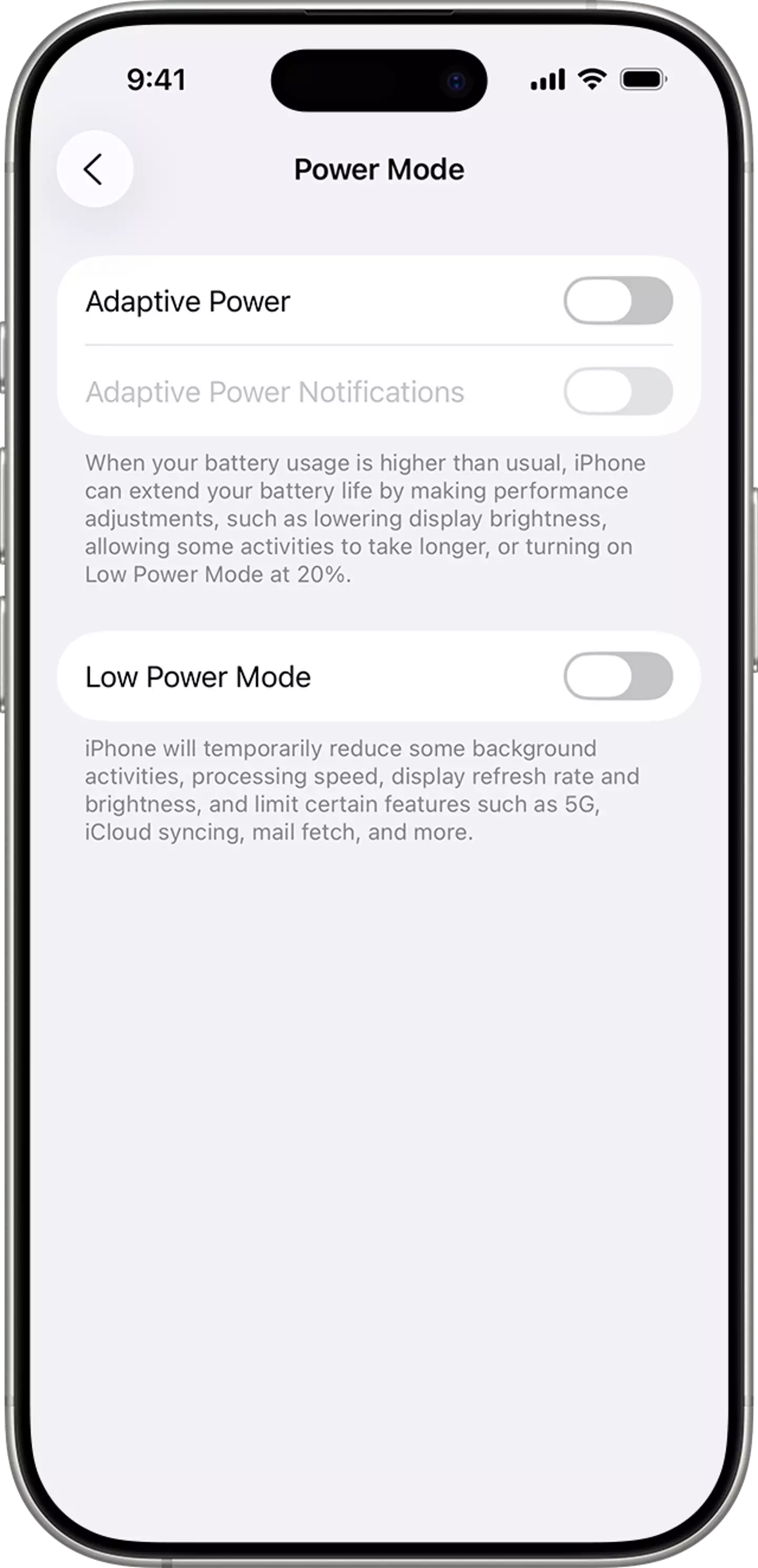
- Open the Settings menu on your iPhone
- Select the 'Battery' menu and head to the 'Power mode' section
- Find the 'Adaptive Power' option and press the slider to turn it on

Advert
As mentioned, it does take a week for it to properly start working as it has to analyze your activity, but it'll definitely be worth it once it's up and running.
Which iPhones can use Adaptive Power?
Unfortunately only a select number of iPhones can take advantage of Adaptive Power, likely due to requirement for on-device intelligence that only the newest devices have the capabilities for.
Here are all of the iPhones that can currently use Adaptive Power:
- iPhone 17
- iPhone 17 Pro
- iPhone 17 Pro Max
- iPhone Air
- iPhone 16
- iPhone 16 Plus
- iPhone 16 Pro
- iPhone 16 Pro Max
- iPhone 16e
- iPhone 15 Pro
- iPhone 15 Pro Max
All of the new iPhone 17 lineup including the Air will have Adaptive Battery enabled by default, but any older devices in the 16 and 15 range will need to head to the settings to enable it themselves.

News in the same category


The Neuroscience of a Deep Kiss: Why Our Brains Crave Romantic Connection

The Venus Dimples: A Subtle Lower Back Detail and a Symbol of Beauty Through the Centuries

Can You Solve It? Only 5% of People Can Find the Missing Number in This Viral Puzzle

Waking Up to a Wet Pillow? 6 Potential Health Risks Behind Frequent Sleep Drooling

13 Science-Backed Reasons Why Small Breasts Are Amazing

Divine Restoration: Why Your Season of Loss is About to End

Why Your Body Might Be Waking You Up at 4 AM: The Hidden Message

If Your Cat Keeps Weaving Around Your Legs: The Surprising Secret Behind It!

Why Bees Land on Your Fresh Laundry

What a Strong Hug From a Man Can Truly Mean

Man loses pulse for 45 minutes, wakes up, and shares this spine-chilling vision of afterlife

Nostradamus predicted that those who have a cat at home will...

What Does “Durex” Actually Stand For

The reason might surprise you... Read more

What the First Animal You See Reveals About Your Hidden Flaw

Dreaming of a deceased person: here's what it means

The Common Bra Mistake

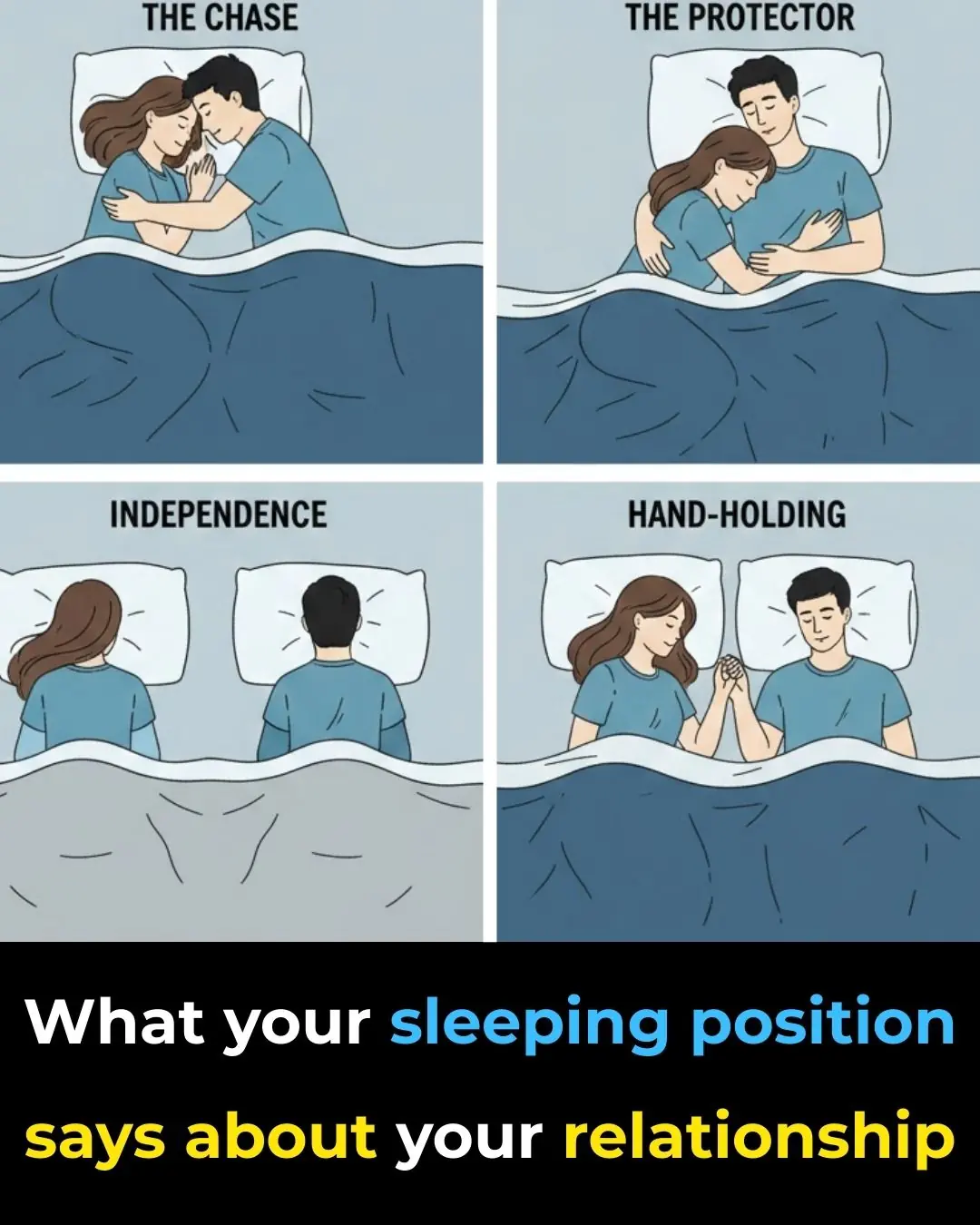
What Your Sleeping Position as a Couple Might Reveal

Envy Rarely Looks Like Hate
News Post

Drink This Every Morning and Watch Your Blood Sugar Melt Away

Never leave a charger in outlet without phone. Here are the top 6 reasons why

I truly am bothered by these!

Why We Forget Our Dreams

What Your Ears Can Reveal About Your Health

Doctor Reveals Easy Hack to Quiet Your Brain

Young Men Mocked a Wheelchair Veteran on a City Bus — Then the Driver Spoke and The Bus Went Silent

“Can You Pretend to Be My Son Today?” 86-Year-Old Woman Asked Hells Angels — What?

HE INVITED HIS “BROKE” EX-WIFE TO HIS POWER WEDDING TO HUMILIATE HER, BUT A ROLLS-ROYCE ARRIVED WITH TWINS AND A DOCUMENT THAT FROZE HIS LIFE MID-VOW

Nurse Slipped Biker a Note: “They’re Letting the War Hero Starve” — What He Did

Limping 84-Year-Old Woman Asked Hells Angels: “Can You Tie My Shoes?” — Then This

Chayote: Natural Support for Circulation, Joint Comfort, and Healthy Blood Levels

How to Prepare a Natural Remedy with Onion and Cloves: A Traditional Home Health Secret

Racist Sheriff Slaps Elderly Black Woman at Diner — Unaware Her Son Was a Navy SEAL

A Man Spent 65 Years Searching for His High School Love – One Day, He Recognized Her Bracelet on a Woman's Wrist at a Nursing Home

When I Was 5, Police Told My Parents My Twin Had Died – 68 Years Later, I Met a Woman Who Looked Exactly Like Me
THE MILLIONAIRE ORDERED IN GERMAN TO MOCK THE WAITRESS… BUT SHE SPOKE 7 LANGUAGES

IN 1995, HE ABANDONED HIS WIFE IN THE HOSPITAL FOR GIVING BIRTH TO FIVE “DARK-SKINNED” BABIES — 30 YEARS LATER, THE WORLD WAS SHOCKED BY THE TRUTH REVEALED IN A DNA TEST